Wiper Blade Packaging Guide: What Retail and Wholesale Buyers Should Specify
Nov 10, 2026
Wiper blade packaging is not merely a printed container added after the product has been approved. It protects the rubber edge and blade structure, communicates the correct size and fitment, supports installation, identifies the SKU and prepares the product for its intended sales channel.
Poor packaging can turn an acceptable wiper blade into an unsuccessful retail product. A blade may arrive bent, the rubber edge may be compressed, the wrong barcode may direct warehouse staff to another SKU, or unclear adapter instructions may cause customers to return a compatible product.
Retail, e-commerce and wholesale channels also create different packaging demands. A package designed for a store hook may not survive individual courier delivery. A strong retail box may protect the product but occupy too much container and warehouse space for a wholesale programme.
Buyers should therefore develop the product, fitment data, packaging structure and artwork as one controlled project. Approval should be based on a physical package containing the actual blade, adapters and instructions—not only a PDF artwork proof.
Why Wiper Blade Packaging Is More Than a Printed Box
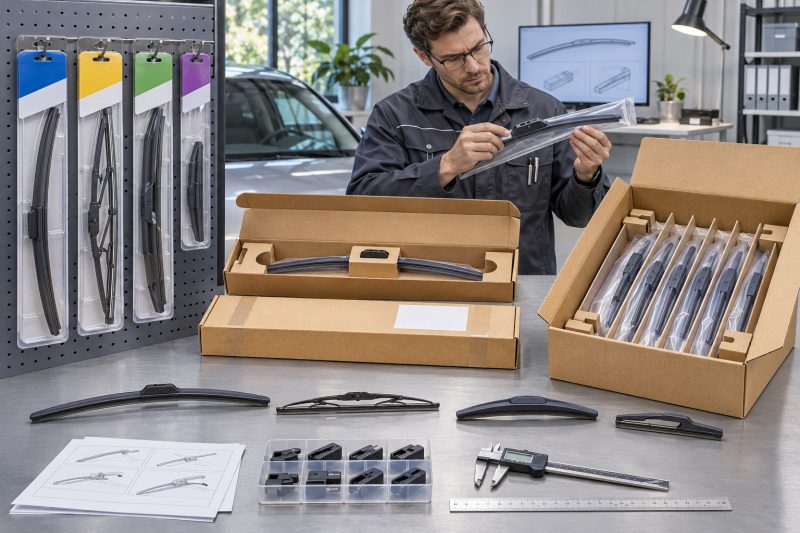
Wiper blade packaging must perform several jobs simultaneously. It should protect the product, help customers select the correct blade, explain installation and support the distributor’s logistics system.
Protecting the blade and rubber edge
A wiper blade is relatively light, but its length and shape make it vulnerable to bending, crushing and poor support.
The package should protect:
- The rubber wiping edge
- Spring-steel strips
- Conventional frames and joints
- Hybrid covers
- Spoilers
- End caps
- Connectors
- Adapters
- Surface coatings
The rubber edge should not be pressed against a sharp insert or package seam. Long beam blades should not be forced into a package that changes their approved curvature. Conventional and hybrid blades need support that prevents frames or covers from being distorted.
A package can look undamaged while the blade inside has taken a permanent set. This is particularly important when products remain stacked in a warehouse or container for extended periods.
Supporting accurate product selection
Customers often depend on the package to answer four questions:
- Is this the correct blade length?
- Is it intended for the driver, passenger or rear position?
- Does it fit the vehicle’s wiper arm?
- Which adapter should be used?
If the answers are unclear, the product may be returned even though it could have fitted the vehicle.
Effective packaging should make the following information easy to locate:
- Product type
- Blade length
- Installation position
- Connector or adapter
- Product SKU
- Vehicle lookup method
- Installation instructions
The package should complement the distributor’s application database rather than replace it. A box cannot reasonably print every compatible vehicle when one blade covers a large number of applications.
Supporting installation
Multi-fit products may include several adapters. Without clear identification, customers may select the wrong one, install it in the wrong direction or fail to engage the lock completely.
Installation support can include:
- Adapter numbers
- Connector illustrations
- Step-by-step diagrams
- Direction arrows
- Locking-point details
- Removal instructions
- A QR code leading to a controlled installation page or video
A QR code should not be the only source of essential information. Customers may have poor connectivity, and online content can change or disappear. The package should contain enough information to identify and install the product safely.
Supporting the intended sales channel
A self-service retail store needs strong shelf identification. A workshop may need fast picking and minimal packaging waste. An e-commerce seller needs parcel protection and a clear labeling area.
TOPEX’s wholesale wiper blade retailer buying guide explains why packaging, vehicle coverage, connector information, shelf space and inventory turnover should be considered together when building a retail assortment.
The Packaging Mistakes Buyers Often Discover After Printing
Printed packaging creates inventory. Once thousands of boxes, cards or sleeves have been produced, correcting a barcode, claim or fitment error can be expensive.
Releasing artwork before product approval
Packaging should not be finalized while the following details are still changing:
- Blade structure
- Product length
- Adapter contents
- SKU
- Fitment coverage
- Installation process
- Performance claims
- Country of origin
- Responsible-party information
If the product changes after printing, the packaging may no longer describe the item inside.
The safest sequence is:
- Approve the product specification.
- Approve representative samples.
- Verify fitment data.
- Confirm adapters and accessories.
- Draft the packaging content.
- Produce a physical packaging prototype.
- Approve final artwork and structure.
- Release mass printing.
Using the wrong barcode
Barcode errors can create problems throughout the supply chain.
A barcode may:
- Point to another length
- Belong to another product series
- Duplicate an existing SKU
- Use the wrong market format
- Fail to scan
- Be too small
- Be printed over a fold or curved surface
- Have insufficient contrast
Before printing, scan the actual proof using suitable devices and verify the result against the buyer’s item master.
A barcode approval sheet should connect:
- Product SKU
- Product description
- Blade length
- Package version
- EAN or UPC
- Inner-carton code
- Master-carton code
Printing unsupported fitment claims
Claims such as “universal,” “fits all vehicles” or broad percentage coverage can create returns and commercial risk when they are not supported by reliable data.
A multi-fit product still requires verification of:
- Blade length
- Wiper-arm connector
- Required adapter
- Driver or passenger position
- Vehicle year
- Windshield compatibility
- Installation clearance
Packaging should direct customers to an accurate fitment source rather than overstating compatibility.
Printing unsupported performance claims
Performance claims should be specific and supported by evidence.
Buyers should be cautious with statements such as:
- Lasts twice as long
- Completely silent
- Perfect wiping in all weather
- Fits every vehicle
- Guaranteed streak-free
- Maintenance-free
- Extreme-temperature proof
If a claim depends on a particular test, material or market condition, the buyer should retain the supporting documentation and confirm that the tested specification matches production.
Omitting adapters or instructions
The packaging approval should include a contents checklist.
For a multi-fit blade, verify:
- Main blade
- Pre-installed connector
- Additional adapters
- Adapter covers
- Installation sheet
- Warranty information
- Labels or stickers
The package may display several compatible connectors while the physical package contains only some of the required adapters. This discrepancy can create immediate fitment complaints.
Ignoring physical packaging tests
A flat artwork file cannot show whether:
- The blade moves inside the package
- The rubber contacts a sharp edge
- The hang hole tears
- The package hangs at an angle
- The insert card shifts
- The box opens during handling
- The adapter compartment releases small parts
- The product becomes bent during stacking
Buyers should evaluate a complete physical prototype using the actual product.
Ignoring packaging MOQ
Product MOQ and packaging MOQ may be different.
A supplier may accept a mixed order of blade lengths while the printer requires a larger minimum for every:
- Size
- Barcode
- Language
- Market version
- Color
- Product series
- Adapter configuration
Unused packaging can become obsolete when fitment information, branding, barcodes or regulatory details change.
The TOPEX guide to OEM and private-label wiper blade packaging provides additional considerations for coordinating packaging format, printing requirements, MOQ and production timing.
What Information Every Retail Wiper Blade Package Should Include
The exact requirements depend on the destination market, product and channel. However, a controlled retail package should normally provide enough information for identification, fitment, installation and traceability.
Front-panel information
The front should help customers identify the product quickly.
Consider including:
- Brand
- Product series
- Blade type
- Length in the units used by the market
- Main product benefit
- Driver, passenger or rear position where applicable
- Clear product image or window
Avoid placing too many claims on the front. Size and product identity should remain easy to find from normal shelf distance.
Product and fitment information
The package should identify:
- SKU
- Blade length
- Blade structure
- Connector family
- Included adapters
- Compatible position
- Fitment lookup method
- Any LHD or RHD limitation
- Important installation restrictions
If the product uses a vehicle finder, the URL or QR code should lead to a maintained database. The destination should be tested before printing and rechecked during production.
Installation information
The instructions should use the same adapter names and codes as the product specification and fitment database.
Good installation content should show:
- How to identify the original arm
- Which adapter to select
- How to remove the original blade
- How to install the replacement
- How to confirm complete locking
- How to test the blade on wet glass
Illustrations should represent the actual connector. Reusing a diagram from another product may create incorrect installation.
Branding and performance claims
Branding requirements can include:
- Logo
- Brand colors
- Series name
- Trademark symbols where appropriate
- Product-tier designation
- Website
- Customer-support contact
Performance claims should remain consistent across the package, website and product listing.
Retail and traceability data
Depending on the market and buyer requirements, the package may also need:
- EAN or UPC
- Item number
- Country of origin
- Manufacturer or responsible-party information
- Batch or lot code
- Production date
- Importer information
- Recycling information
- Material identification
- Warranty reference
- Required warnings
The buyer should obtain market-specific compliance advice rather than assuming one global label format is suitable everywhere.
Packaging specification confirmation table
| Specification category | Information the buyer should confirm |
|---|---|
| Product information | SKU, product name, structure, length and package quantity |
| Fitment information | Connector, adapter number, vehicle coverage and blade position |
| Brand content | Logo, brand colors, series name and supported performance claims |
| Installation materials | Diagrams, adapter-selection steps, QR code and language versions |
| Retail data | EAN/UPC, unit label, price-label area and anti-theft label space |
| Packaging structure | Material, thickness, dimensions, hang hole, closure and internal retention |
| Master-carton data | Units per carton, gross and net weight, dimensions, SKU and batch marks |
| Transport requirements | Stacking, palletization, drop protection and fulfillment-center requirements |
| Compliance information | Origin, responsible party, recycling marks and destination-market labels |
| Version control | File number, revision date, approver and change-notification procedure |
Control language versions carefully
Multi-language packaging can reduce the number of printed versions, but it may also create crowded artwork.
Check:
- Translation accuracy
- Technical terminology
- Adapter names
- Warning statements
- Font size
- Character support
- Line breaks
- Consistency with manuals and online listings
The buyer should approve each language version rather than relying on unreviewed automatic translation.
Retail Packs, E-Commerce Packs and Wholesale Cartons: How They Differ
Packaging should be designed for the product’s real distribution path. One format may serve several channels, but only after physical validation.
Packaging format comparison
| Packaging format | Suitable sales channels | Main purchasing checks |
|---|---|---|
| Neutral bulk carton | Fleets, workshops and wholesalers | Unit protection, SKU separation, carton quantity and picking labels |
| Printed sleeve | Price-sensitive retail and private-label trials | Sleeve retention, print content, size identification and hang hole |
| Blister with insert card | Physical retail and peg displays | Blister strength, sealing, insert position, visibility and tamper resistance |
| Full-color box | Branded retail, distributors and premium presentation | Box strength, internal retention, print quality and shelf dimensions |
| E-commerce-ready pack | Amazon, independent websites and marketplace orders | Bending, puncture, courier drops and external-label area |
| Display-ready carton | Chain stores and promotional displays | Shelf-ready opening, SKU recognition, replenishment and space consumption |
Neutral bulk cartons
Bulk packaging is appropriate when trained staff select and install the product.
The design should still prevent:
- Blades rubbing together
- Rubber-edge damage
- Adapter loss
- Mixed-SKU confusion
- Deformation during stacking
Each unit should remain identifiable. A simple label can include SKU, length, connector, batch and barcode.
Bulk packaging reduces material and volume, but it should not sacrifice traceability.
Printed sleeves
A printed sleeve can offer a lower-commitment route into private labeling. It may use less material than a full box while providing branding, size and barcode information.
Check whether the sleeve:
- Holds the blade securely
- Protects the wiping edge
- Remains in position
- Supports hanging
- Provides enough print area
- Survives handling
- Fits all intended blade structures
One sleeve dimension may not work for conventional, beam and hybrid blades even when their nominal length is identical.
Blister packaging
A transparent blister displays the product and can retain adapters in visible compartments.
Buyers should evaluate:
- Plastic thickness
- Product fit
- Sealing method
- Sharp edges
- Hang-tab strength
- Card movement
- Adapter retention
- Opening method
- Tamper evidence
- Product removal
A strong blister may support retail display but increase packaging volume, freight cost and disposal requirements.
Full-color boxes
Boxes provide strong branding and a large printable area. They may also offer better protection when internal supports are correctly designed.
Confirm:
- Board grade
- Structural dimensions
- Closure
- Internal insert
- Connector clearance
- Blade retention
- Crush resistance
- Print finish
- Shelf orientation
A box that is too loose allows movement. A box that is too tight may compress the blade or rubber.
E-commerce-ready packaging
E-commerce products experience individual parcel handling rather than controlled master-carton distribution.
The package should be evaluated for:
- Repeated drops
- Conveyor handling
- Puncture
- Bending
- Crushing
- Label application
- Moisture exposure
- Opening and resealing
- Returns handling
A retail sleeve may need an additional shipping carton. Alternatively, the retail package can be redesigned to survive courier delivery without excessive outer packaging.
Display-ready cartons
Display-ready cartons can reduce store labor by moving directly from transport packaging to shelf presentation.
Check:
- Opening method
- Stability after opening
- Product visibility
- SKU identification
- Replenishment
- Removal of individual units
- Shelf dimensions
- Remaining carton strength
The carton should remain stable as products are removed.
Packaging volume and freight
Wiper blades are long, so small increases in package width or depth can materially affect carton volume.
Compare:
- Units per carton
- Carton dimensions
- Carton volume
- Gross weight
- Cartons per pallet
- Cartons per cubic meter
- Container loading quantity
- Airfreight volumetric weight
- Courier dimensional weight
- Packaging cost per saleable unit
Packaging decisions should be included in mixed-SKU and container planning. The TOPEX mixed-SKU wiper blade container guide explains how package dimensions, units per carton and SKU identification affect freight efficiency and inventory planning.
How to Approve Packaging Before Mass Production
Packaging approval should follow a controlled process involving the actual product, physical prototypes and final production files.
Step 1: Freeze the product contents
Confirm:
- Blade model
- Length
- Structure
- Connector
- Adapters
- Accessories
- Instructions
- Warranty material
Packaging should not proceed while these contents remain uncertain.
Step 2: Verify fitment data and claims
Check the packaging against the controlled application database.
Verify:
- Length
- Position
- Connector
- Adapter
- Vehicle references
- Coverage statements
- Installation method
- Performance claims
Record the source and approval date of the fitment information.
Step 3: Approve the dieline and structure
The structural drawing should include:
- Internal and external dimensions
- Material
- Thickness
- Folds
- Tabs
- Hang hole
- Closure
- Sealing area
- Insert position
- Adapter compartment
- Printable area
- Barcode location
A packaging engineer or supplier should confirm that the structure can be produced consistently.
Step 4: Produce a physical prototype
Place the final blade, adapters and instructions inside the prototype.
Check:
- Internal clearance
- Product movement
- Rubber-edge protection
- Connector protection
- Adapter retention
- Blade curvature
- Package closure
- Hang balance
- Shelf orientation
- Opening experience
Do not approve a box using a different blade simply because it has the same length.
Step 5: Review artwork at actual size
Printed artwork should be reviewed at 100% scale.
Confirm:
- Logo position
- Colors
- Text size
- Size marking
- Adapter diagrams
- Languages
- Barcode
- QR code
- Origin information
- Responsible-party details
- Recycling marks
- File revision
Screen colors may differ from printed results. Request a color reference or printed proof where brand consistency is important.
Step 6: Test barcode and QR code performance
Scan codes using representative devices and applications.
Verify that:
- The barcode returns the correct SKU.
- The barcode is not distorted.
- Contrast is sufficient.
- The quiet zone remains clear.
- The QR code opens the correct page.
- The linked page works in the destination market.
- The page displays correctly on mobile devices.
- The content matches the packaged product.
Step 7: Conduct packaging performance checks
Testing should reflect the distribution channel.
Potential checks include:
- Drop simulation
- Compression
- Stacking
- Vibration
- Hang testing
- Closure strength
- Seal integrity
- Puncture resistance
- Carton handling
- Pallet simulation
The objective is not to apply every possible test to every package. It is to reproduce the most important handling risks.
Step 8: Approve master cartons
Confirm:
- Carton material
- Units per carton
- Internal arrangement
- Dividers
- Carton dimensions
- Net and gross weight
- SKU marking
- Barcode
- Batch information
- Country of origin
- Shipping marks
- Handling symbols
- Pallet quantity
Mixed-SKU cartons should be avoided unless they are clearly controlled and required by the distribution system.
Step 9: Freeze files and versions
The approved package file should have:
- Unique filename
- Product SKU
- Version number
- Revision date
- Approver
- Printing specification
- Color reference
- Dieline reference
- Barcode list
The supplier should not update text, move a barcode or change a material without written approval.
Step 10: Inspect production packaging
During production or pre-shipment inspection, compare printed packages with the approved reference.
Inspect:
- Artwork version
- Print quality
- Color
- Dimensions
- Material
- Barcode
- Product contents
- Adapter contents
- Instructions
- Closure
- Carton quantity
- Carton marks
Randomly assemble or open finished packs rather than inspecting only flat printed materials.
Final packaging approval checklist
- Product specification is frozen.
- Fitment data is approved.
- Adapter contents are confirmed.
- Physical prototype contains the actual blade.
- Rubber and blade structure are protected.
- Package hangs or stacks correctly.
- Installation diagrams match the product.
- Claims are supported.
- Language versions are approved.
- EAN/UPC scans correctly.
- QR code opens the controlled page.
- Origin and responsible-party details are confirmed.
- Packaging tests reflect the sales channel.
- Units per carton and carton dimensions are approved.
- Artwork and dieline versions are frozen.
- Change approval is required before printing revisions.
Conclusion
Wiper blade packaging should be specified as carefully as the blade itself. Retail buyers need packaging that protects the product, communicates the correct size and fitment, supports installation and works with the intended shelf system. E-commerce sellers must also consider parcel handling, while wholesalers may prioritize compact cartons, clear SKU identification and efficient warehouse picking.
Before mass printing, buyers should approve a physical package containing the actual blade, adapters and instructions—not just a digital artwork file. Barcodes, fitment claims, languages, carton quantities and origin information should all be checked against controlled product data.
Freezing the approved artwork and packaging specification before production helps prevent obsolete packaging, incorrect listings, transport damage and avoidable customer returns.
FAQ
1. What information should appear on retail wiper blade packaging?
Retail packaging should clearly identify the brand, product series, blade type, length, position, SKU, barcode, connector or adapter information and fitment lookup method. It should also provide installation guidance, traceability and any origin, responsible-party or market-specific information required for the destination.
2. Which packaging format is best for wholesale wiper blades?
Neutral cartons, protective sleeves or individually labeled bulk packages are often suitable for wholesalers, workshops and fleets. The best format depends on the required protection, warehouse picking system, SKU range and whether trained staff will select and install the blades.
3. How should wiper blade fitment information be shown on the package?
Show the blade length, position, connector family and included adapter clearly. Direct customers to a controlled vehicle finder where necessary. Avoid unsupported “universal” claims or copying applications from a similar product without verification.
4. What should buyers verify before approving packaging artwork?
Buyers should verify the SKU, product name, length, adapter contents, fitment statements, installation diagrams, claims, languages, barcode, QR code, origin information and responsible-party details. The artwork should match the actual packaged product and approved specification.
5. How does packaging affect wiper blade freight costs?
Wiper blades are long products, and oversized packaging can increase carton and container volume. Airfreight and courier services may charge according to volumetric or dimensional weight. Buyers should compare units per carton, carton volume and freight cost per saleable unit.
6. Should e-commerce wiper blades use different packaging from retail products?
Often, yes. Retail packaging focuses on shelf presentation and product selection, while e-commerce packaging must withstand individual parcel handling, drops, bending, puncture and crushing. A retail package can be used online only after it has been validated for the fulfillment process or placed inside suitable protective shipping packaging.

--- END ---
Prev: Bulk Wiper Blade Quality Inspection: How to Set Clear Acceptance Criteria
Already the latest article